Think you’ve seen everything the Instagram app has to offer?
You post, you scroll, maybe throw in a Reel or Story now and then. But behind those familiar buttons are secret-level features even seasoned scrollers miss.
From pinning posts to filtering out the drama (yes, literally), this guide will unlock the best-kept secrets inside the Instagram app, no extra tools required.
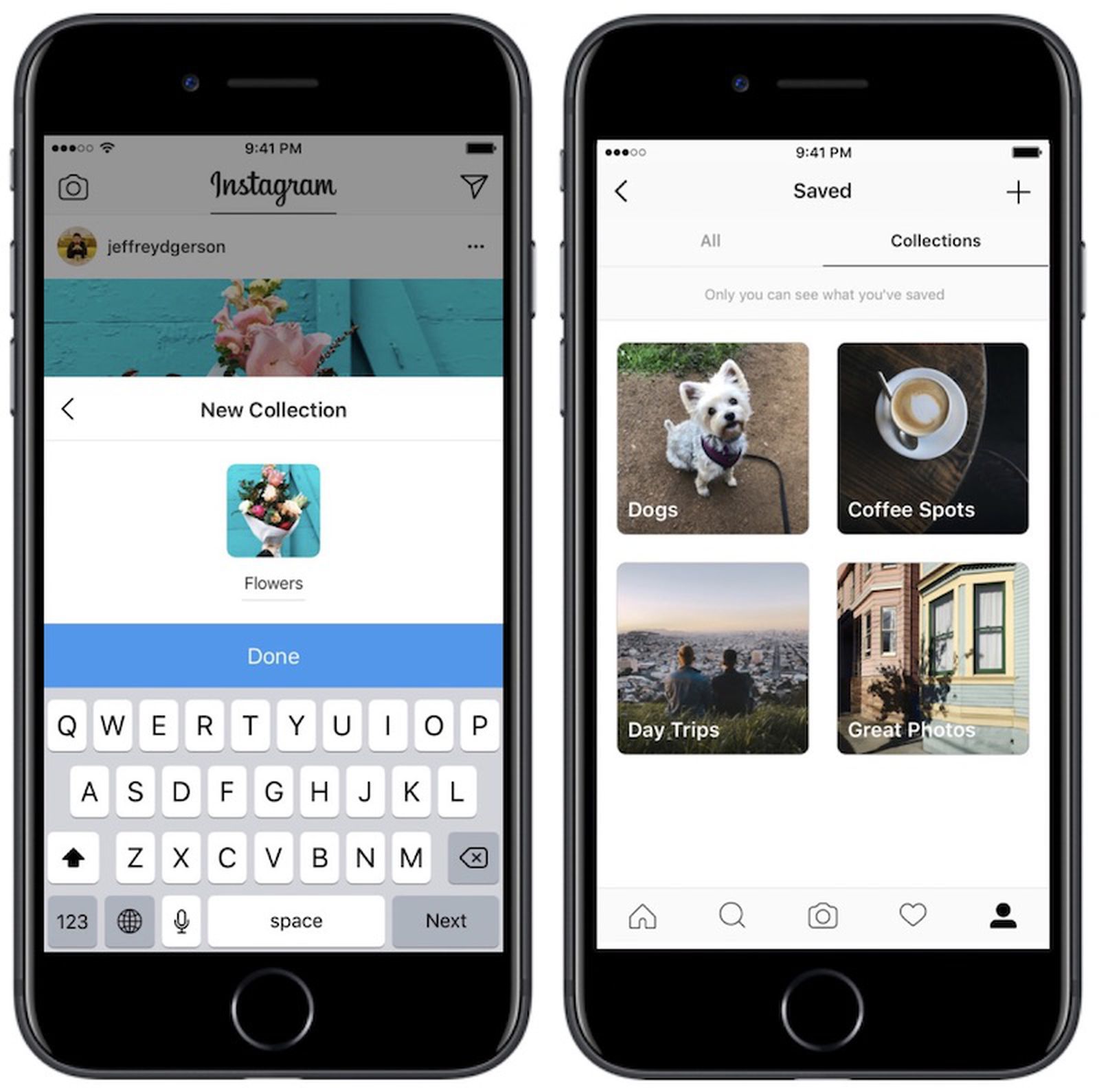
Save posts into collections for easy inspo and planning
You’ve probably used the little bookmark icon to save posts, but did you know you can organize them into themed collections? Whether you’re gathering outfit inspo, reel ideas, or dream travel spots, this feature turns your Saved folder into your own private Pinterest board (without ever leaving Instagram).
First, tap the bookmark icon under any post you want to save → When the “Save to” menu pops up, tap + to create a new collection → Name your collection (e.g., “Reel Ideas”, “Pose Inspo”, “Aesthetic Feeds”) and boom, you’re organized.
You can use collections to plan your content calendar visually or to spy on trending formats in your niche.
Use the Notes feature to stay top-of-mind
Tucked away in your DM inbox, the Notes feature is like a Twitter-meets-Stories hybrid, but only your followers who also follow you back can see it.
You get 60 characters to drop whatever you want, a thought, a promo, a link teaser, or just “New post, go like it!”
The Notes feature shows up right at the top of people’s inboxes (aka high visibility). It’s super casual, so it doesn’t feel like self-promo. You can update it as often as you like (only one note shows at a time)
Some cool Ideas to try: “New reel just dropped!”; “Ask me anything”; “Flash sale ends tonight!” “What should I post next?”,…
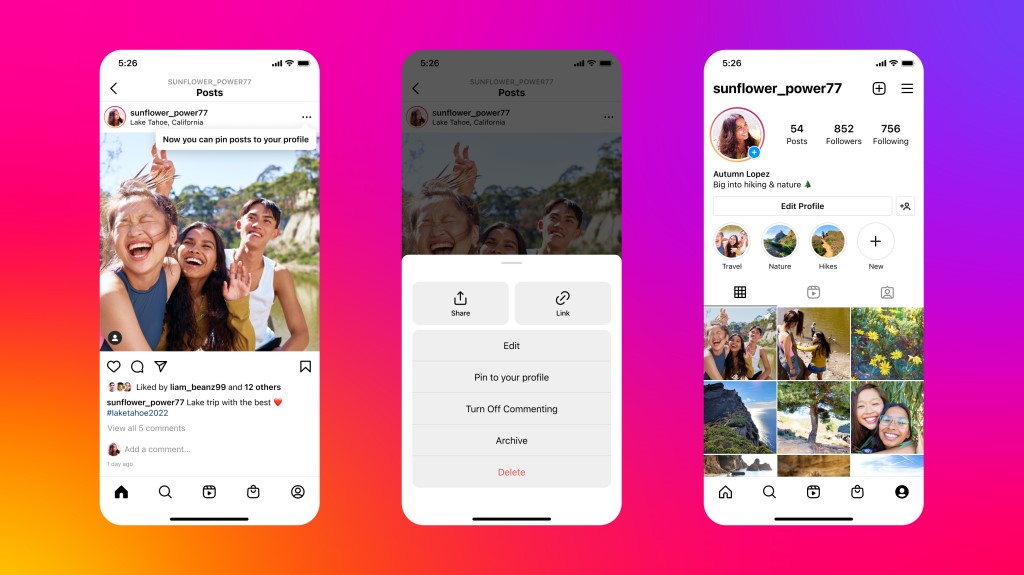
Pin up to 3 posts to your profile grid
Want to control the first impression visitors get when they land on your Instagram profile? Enter: Pinned Posts.
Instagram lets you pin up to three posts (Reels or photos) to the top of your grid, perfect for spotlighting key content such as your best-performing post, a new product drop, an intro video or announcement, or just a funny video with your besties.
To pin a post, tap the ••• on a post → Select Pin to your profile. It will appear in the first row of your grid with a 📌 icon.
You should update your pinned posts monthly to keep your profile fresh and relevant.
Use the “Add Yours” sticker to spark viral chains
The “Add Yours” sticker in Stories isn’t just fun, it’s a hidden growth tool. It creates shareable Story threads where others can jump in, making your account more discoverable.
In your Story, tap the sticker icon and select Add Yours → Write a prompt like “What’s on your camera roll right now?” or “My weekend in 1 pic”. Anyone who watches your Story can tap to add their own, and your username stays visible at the top of the thread.
This hidden Instagram feature encourages engagement outside your current audience.
If your prompt goes viral, your handle gets seen by hundreds (or thousands) of new users. You should use trending prompts, memes, or relatable moments to get more traction.
Hide your Stories from specific people (or use Close Friends)
Sometimes you wanna post that unfiltered Story, but not for everyone. Instagram gets that, and gives you two solid options: Hide Story from… (pick specific followers) and Close Friends list (a curated circle of VIP viewers).
This Instagram apps feature is perfect for soft-launching your new boo, posting personal rants or behind-the-scenes or testing content with a smaller, trusted audience.
To hide your Stories, you just need to go to your profile → tap ≡ → Settings & privacy → Hide story and live. Or create a Close Friends list from the same menu, and post exclusively to them.
Pro tip: You can edit your Close Friends anytime, and no notifications are sent.
Reply to comments with a Reel
Want to turn a comment into content and boost engagement? Instagram now lets you reply to comments with a Reel, and the comment appears as a sticker in your video. It’s eye-catching, creative, and super interactive.
This amazing feature gives your audience a shoutout, it also encourages more people to comment, and even adds context and personality to your content. Use it to answer FAQs, react to fan comments, or clap back playfully (but politely).
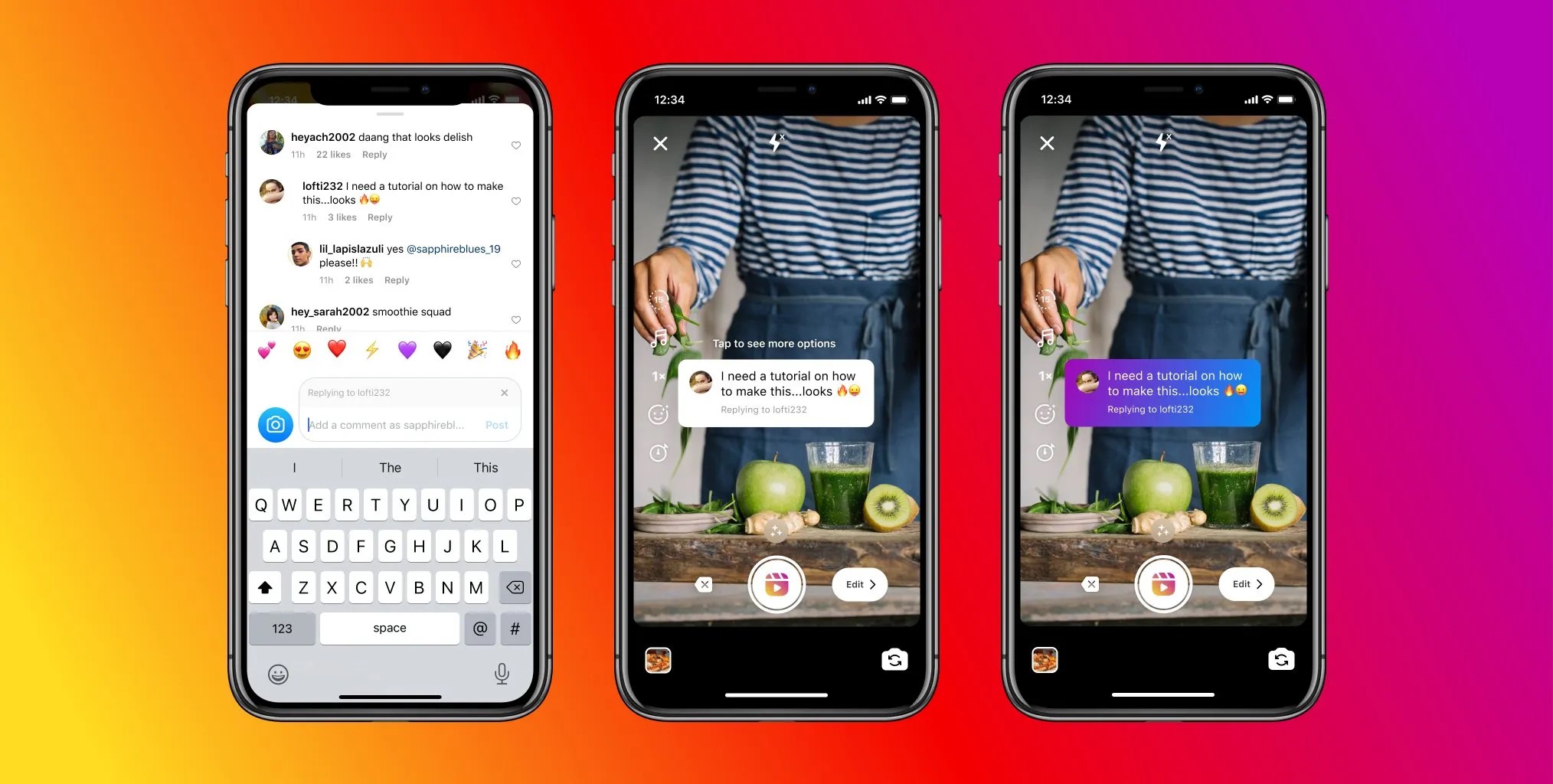
It’s pretty easy to master this trick; you only need to go to a comment on your post or Reel → Tap Reply, then the little camera icon → Record your Reel, and the comment will appear as a sticker.
Search by keywords, not just hashtags
Gone are the days of only finding content by hashtags. Instagram’s keyword search lets you discover posts by typing in what you’re actually looking for, no # needed.
For example, search “cozy coffee shop aesthetic” or “easy at-home workouts”, you get relevant results even if the post doesn’t use that exact hashtag.
Searching by keywords makes it easier to find inspo and niche content and gives more chances for your content to get discovered (even if you don’t hashtag it to death)
You should add natural language into your captions so Instagram knows what your post is about, which helps boost visibility in keyword searches.
Turn your Highlights into mini landing pages
Highlights aren’t just for saving old Stories, they’re prime real estate on your profile. Use them like mini landing pages to showcase your best content, answer FAQs, or promote offers.
Some neat Ideas for Highlights: Testimonials; Promos & discounts; How to order; or Behind-the-scenes
To make them pop, you should create custom covers for a clean, branded look. Keep each Highlight short and purposeful, and regularly update to keep them fresh.
The first 3 Highlights show without scrolling, put your most valuable ones there!
Mute people without unfollowing for a drama-free feed
We all have those people – coworkers, distant cousins, or ex-friends – you can’t unfollow, but don’t really want to see every brunch photo or hot take. The fix? Mute them. You won’t see their posts or Stories, but they won’t know a thing.
How to mute someone: Go to their profile → Tap Following → Mute. You can choose to mute Posts, Stories, or both
Muting unwanted accounts helps you clean up your feed without causing social tension and helps you stay focused on the content you care about. It’s self-care for your scroll.
Download Instagram Reels and Stories you love
Let’s be real, Instagram doesn’t make it easy to save the good stuff. Whether it’s your own creation or someone else’s masterpiece, you should be able to keep what inspires you.
But here is the perfect hack: SnapIns – your go-to tool to download ig Reels, Stories, and posts in full quality.
Why Savegram.info is a game-changer? You can save Instagram content in HD, keep your faves for inspo, and download any Stories before they vanish.
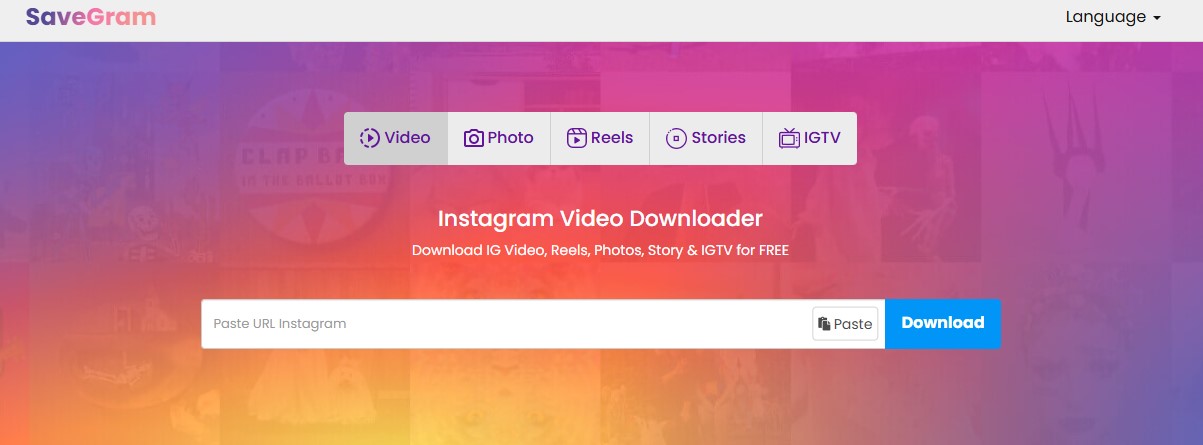
No more screen-recording or weird workarounds. Just copy the link, paste it into Savegram.info, and done. You’ve got the content at your fingertips forever.
Use Remix & Reels templates to join trends fast
Want to hop on the latest trend without spending hours editing? Reels Remix and Templates are your secret weapons. Remix lets you record side-by-side with an existing Reel, like a duet or reaction. Templates preload trending audio and timing, just drop in your clips and go.
How to find them:
Tap the three dots on a Reel → look for “Use as template” or “Remix this Reel” → Browse the Reels tab for trending formats with template tags.
Remix and templates save time, keep your content relevant, and make participating in trends super easy, even for editing newbies.
Archive old Stories, posts, & Lives instead of deleting
Feel like cleaning up your feed, but don’t want to lose your hard work forever? Use Archive instead of the trash can. Archived content stays hidden from your followers but is saved just for you. You can bring it back anytime or use it as a content vault for future reuse.
What you can archive on Instagram: Stories, Posts, Live videos. To archive any content, go to your profile → tap ≡ → Archive to view and manage.
Bonus idea: Re-share evergreen content as a #throwback or fill content gaps when you’re low on ideas.
Wrapping it up: You’re officially an Insta pro now
Whether you’re building a brand, growing a following, or just flexing your aesthetic, these tips help you post smarter, connect deeper, and keep your content game strong. And don’t forget, when you find a Reel or Story too good to lose, Snapins.AI has your back. Save it, study it, or share it again later. Easy peasy.