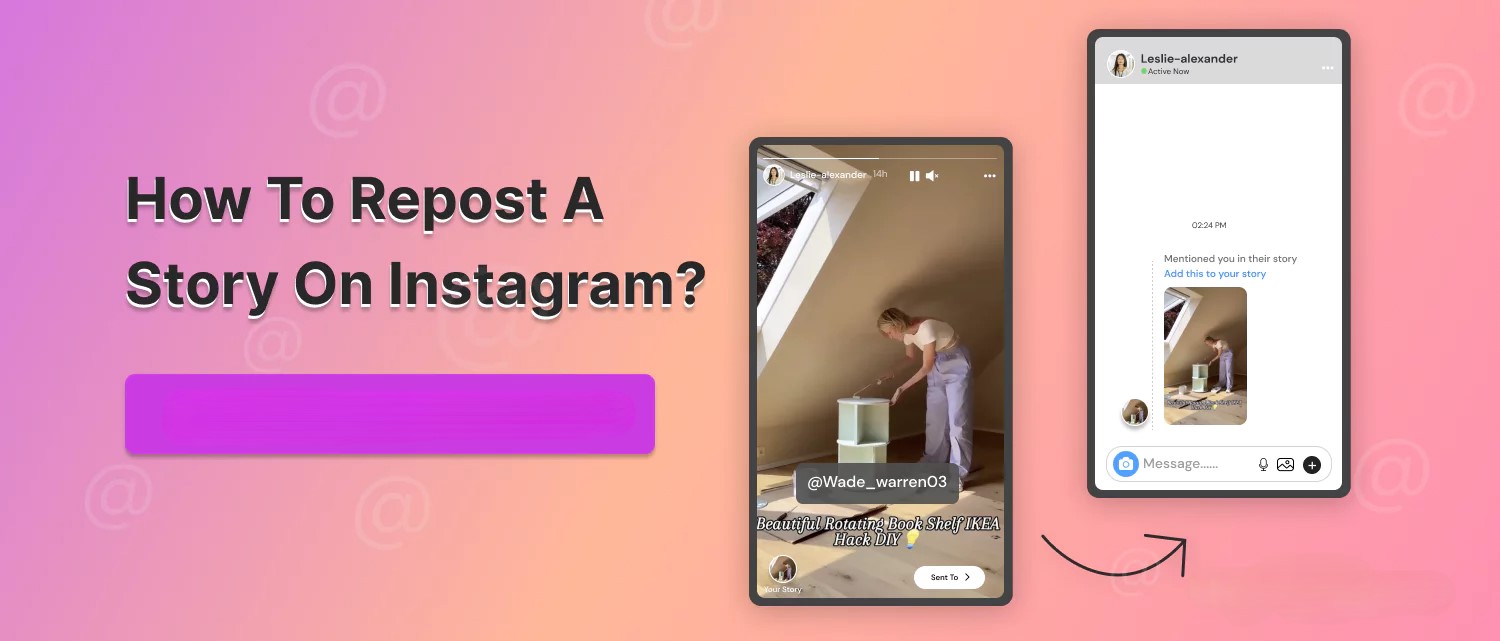
Ever seen a friend post the perfect Story and thought, “Omg I need to repost this ASAP”? But wait… You weren’t tagged. Cue the dramatic music.
That’s where this guide comes in! We’ll show you exactly how to repost a Story with or without being tagged, and share a sneaky little tool called Savegram that helps you download any Instagram Story so you can save, repost, and never miss a vibe.
What does it mean to repost a Story on Instagram?
Before we jump into the how-to, let’s quickly break down what reposting a Story actually means.
Reposting a Story = sharing someone else’s Instagram Story to your own. It’s like giving that content a second life on your profile, usually in two main ways:
- Reposting when you’re tagged: When someone mentions you in their Story, you’ll get a DM notification with an option to “Add to Your Story.” Super easy.
- Reposting without being tagged: This gets trickier. Instagram doesn’t give a built-in way to repost Stories you’re not tagged in, but don’t worry, we’ve got smart workarounds.
Reposting is a great way to boost engagement, share community content, join trends, or just pass along a moment you loved.
Read more: How To Create An Instagram Story Like A Pro
How to repost a story on Instagram
Whether you’re a casual user or a brand, reposting helps you stay active without having to create everything from scratch.
Reposting a Story you’ve been tagged in
If someone tags you in their Instagram Story, Instagram gives you a golden ticket: the chance to instantly repost it to your own Story.
Let’s discover how to repost a tagged story in a few taps:
Step 1: Check your DMs
When someone mentions you, you’ll get a direct message notification from Instagram saying, “@username mentioned you in their story.”
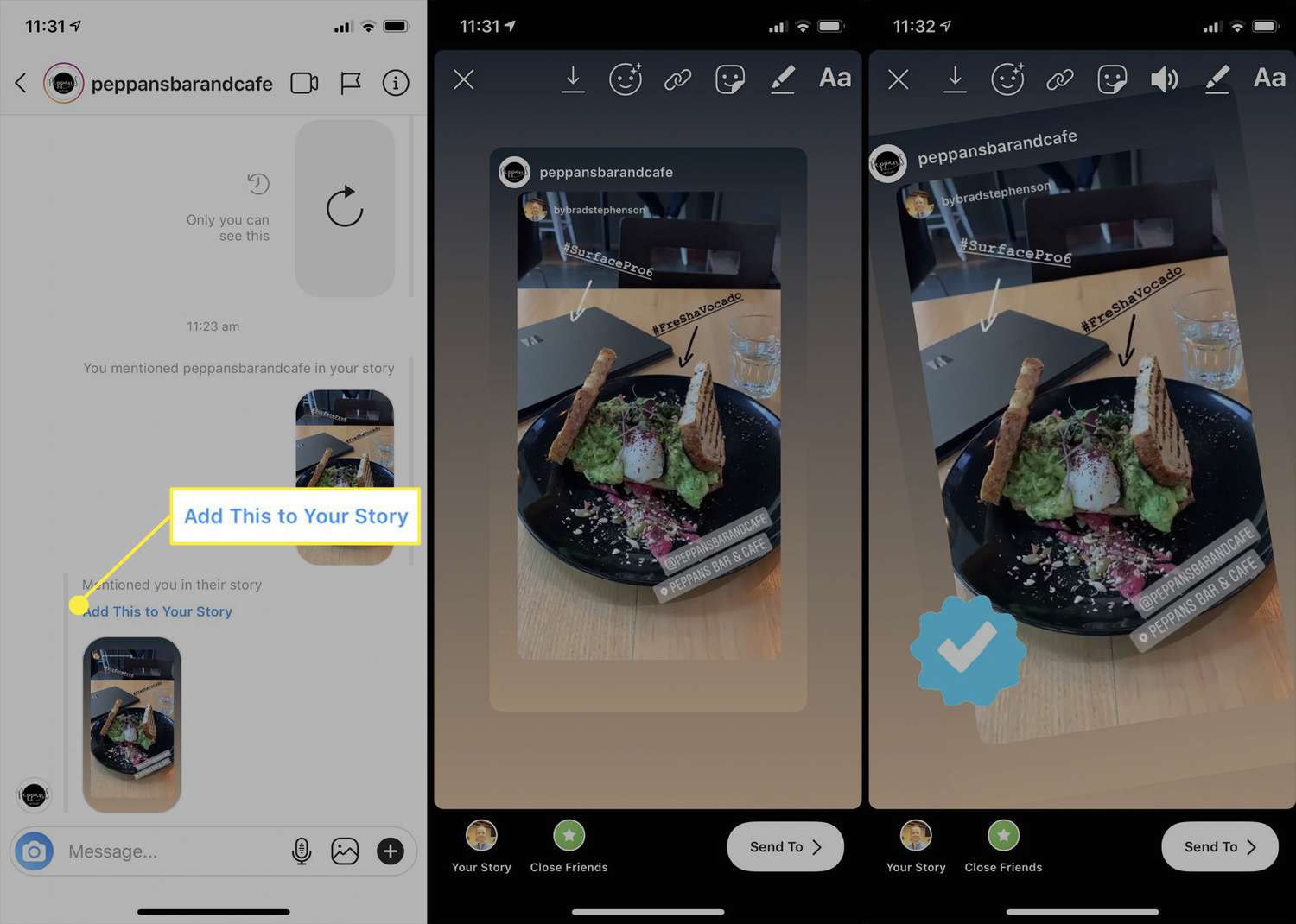
Step 2: Tap “Add to Your Story”
Inside that DM, you’ll see an option to “Add to Your Story.” One tap, and it’s ready to go.
Step 3: Customize it
Add your own flair with GIFs, text, music, stickers, or even a poll if you’re feeling extra interactive. This is your time to shine (or meme).
Step 4: Share it
Once it’s looking fab, hit “Your Story” to post it. Done and dusted in under a minute.
It’s super easy. You can show love, reshare mentions, and reach a wider audience with a repost.
How to repost a Story you’re not tagged in
We’ve all been there: You see a jaw-droppingly good Story, maybe it features your product, your outfit, or just major inspo – but you weren’t tagged. So now what? Unfortunately, Instagram doesn’t allow reposting of Stories unless the original creator mentions you. But don’t worry, you’ve still got a few options:
- Ask the original poster to tag you
Just DM them and say something like: “Hey! Love your Story, would you mind tagging me so I can reshare it?”. Most people will happily oblige, especially if your repost benefits them, too.
- Take a screenshot or screen recording
This manual method may work with static images, memes, or quotes. But it’s not ideal for videos, animations, or aesthetic layouts. On iOS/Android, you can screen record video content, but quality often suffers, and let’s be real, reposting a blurry video isn’t the vibe.
- Use a third-party downloader tool to save and repost
This is the easiest way to download and repost any public Instagram Story in high quality. Instagram does not have a built-in download feature, so that’s where a trustworthy Savegram Instagram Downloader comes in.
Use Savegram to download and repost any Instagram Story
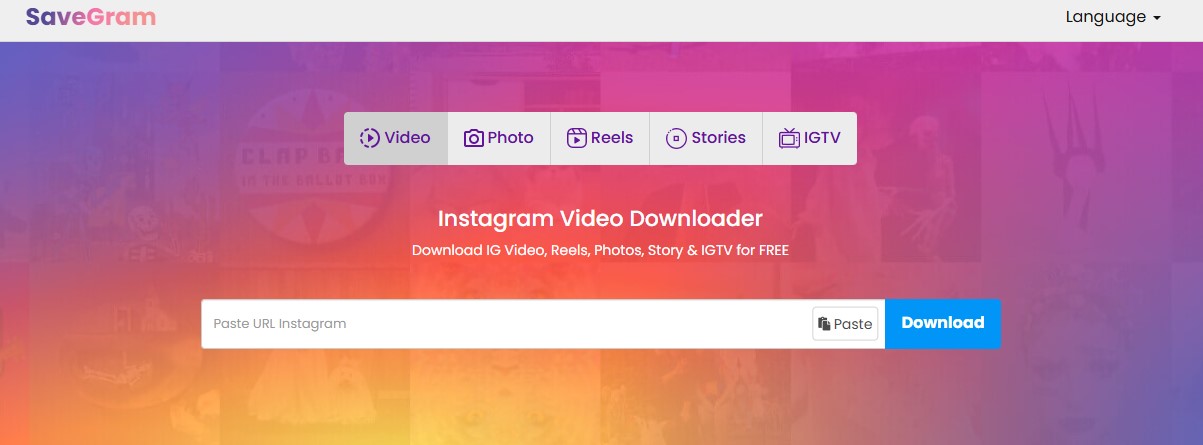
If you’re tired of fuzzy screenshots or begging to be tagged, it’s time to meet your new best Instagram downloader: Savegram.info.
Savegram is a free, browser-based tool that lets you download public Instagram Stories, Reels, videos, and photos. And yes, it works on both iOS and Android (via mobile browser).
Savegram is the perfect tool for reposting Instagram Stories because it lets you save Stories before they vanish, giving you full control over content that’s only live for 24 hours.
Unlike blurry screenshots or low-quality recordings, Savegram preserves crisp, high-resolution quality, so your reposts always look clean and professional.
Best of all, there’s no need to log in or create an account, just copy, paste, and download in seconds.
How to download & repost a Story using Savegram in simple steps:
- Find the Story you want to repost and copy the link
Make sure it’s from a public Instagram account (Savegram can’t access private profiles).
Tap the three dots (•••) in the top-right corner of the Story and choose “Copy Link.”
- Open your browser & go to Savegram.info
Use Safari, Chrome, or your favorite browser – no app needed.
- Paste the link into the Savegram search bar
Hit the download button and wait a few seconds.
Save it directly to your phone or desktop in full resolution.
- Repost to your own Story
Open Instagram → tap Your Story → select the saved video or image. Add your own touch with stickers, text, or music, then post it.
By downloading Instagram Stories, you can organize your saved content by campaign, creator, or aesthetic, making it a handy tool for both casual users and content planners.
Pro tips for reposting evergreen Instagram Stories
Want your reposted Stories to feel fresh, fun, and not like lazy screenshots? Here are some tips to level up your reposting game:
- Add your own twist: Don’t just hit repost, add a sticker, emoji, GIF, or quick reaction to make it feel personalized. Even a simple icon can go a long way.
- Use Savegram to avoid the blur: Download with Savegram to maintain crisp quality instead of screen recording or screenshotting, your followers will notice the difference.
- Repost at the right time: Timing matters. Repost when your audience is most active (check your Insights if you’re on a Creator or Business account).
- Use engagement stickers: Add polls, quizzes, or emoji sliders to encourage interaction, even on reposted content.
- Keep it on-brand: Match colors, fonts, and vibes to your brand aesthetic when reposting, especially if you’re curating Stories for highlights.
With these tips (and a little help from Savegram), your Story reposts will feel less like repeats and more like refined remixes.
FAQs you might need to know
Can I repost someone’s Instagram Story if I’m not tagged?
By default, Instagram only lets you repost Stories that you’ve been tagged in. However, if you want to share a Story you’re not mentioned in, you can either ask the creator to tag you, or use a tool like Savegram.info to download and repost it.
Will the person know if I download their Story using Savegram?
Nope. Savegram doesn’t interact with Instagram directly, so the person won’t get any notifications.
Can I download expired Stories with Savegram?
Savegram only work with active Stories (within the 24-hour window). If the Story has already expired, it won’t be downloadable. So if you love a Story, grab it before it disappears.
Is Savegram safe to use?
Yes! Savegram is completely safe. it does not collect or store any user data. No login or personal information is ever required to use the tool.
Reposting Instagram Stories is a fun and powerful way to connect with your followers, share community love, or curate inspiring content for your brand. Whether you’ve been tagged or not, there’s always a way to reshare.
So go ahead, save those Stories before they vanish, give credit where it’s due, and keep your content game strong.