So, you’ve been tapping through those vibey, aesthetic, “OMG where did they get that font?!” Instagram Stories and wondering… how do I make mine look that good?
Whether you’re sharing your morning coffee, hyping up a product drop, or just living your best meme life, Instagram Stories are your digital stage. And guess what? Creating them is easier (and more fun) than it looks.
Let this guide show you exactly how to create a Story on Instagram like a seasoned creator.
What is an Instagram Story?
Instagram Stories are vertical, full-screen posts that disappear after 24 hours (unless you save them to Highlights). They’re made for the in-the-moment, the spontaneous, and the “you had to be there” kind of content.
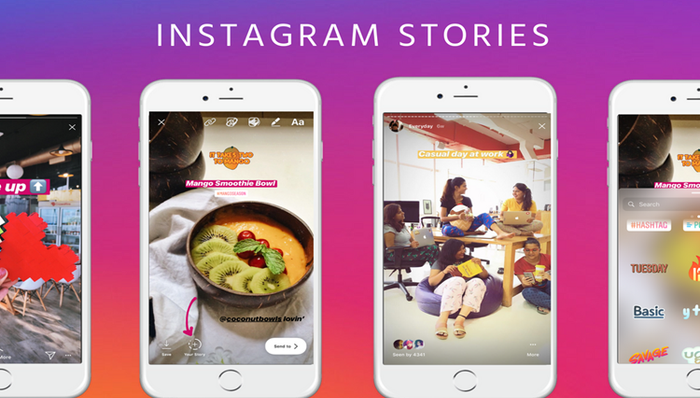
You can use Stories to share photos or videos; add music, stickers, polls, or quizzes; mention friends or tag locations; link to products or websites (if you have access to link stickers), and connect with your audience in a casual, real-time way
Whether you’re a business, a content creator, or just someone who loves curating your daily life, Stories are a powerful tool for boosting engagement and staying top of mind.
How to create a story on Instagram: a step-by-step guide
Creating an Instagram Story is super simple, and honestly, a little addictive. Whether you’re capturing your morning coffee or teasing your next product launch, here’s how to do it like a pro:
Step 1: Open and log in to the Instagram app
- On your device, download and install the Instagram app from the App Store/Google Play
- Open the app and log in to your account
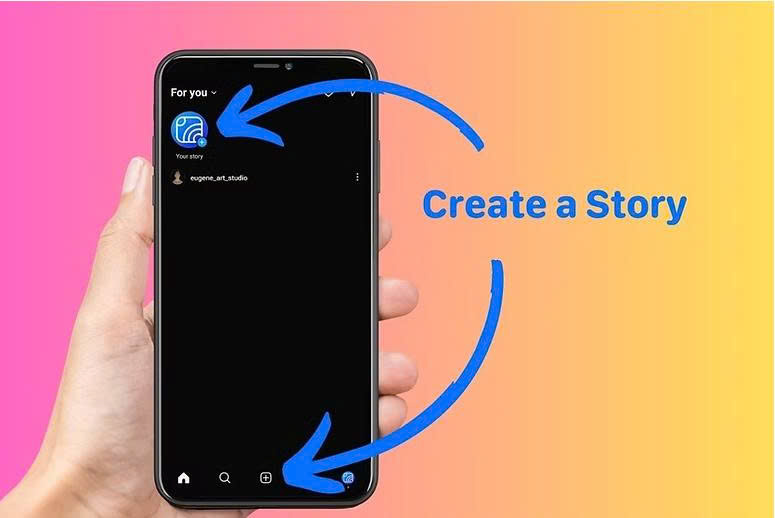
Step 2: Tap your profile picture or the ‘+’ icon
- At the top left of your feed, tap Your Story, or swipe right anywhere on the home screen to open the Story camera.
Step 3: Choose your content
You can:
- Take a new photo or video by tapping (photo) or holding (video) the white capture button.
- Upload from your camera roll by swiping up or tapping the gallery icon in the bottom-left corner.
Step 4: Customize your Story
This is where the magic happens:
- Add stickers (polls, questions, countdowns, location tags, etc.)
- Type text and pick fun fonts or colors
- Use drawing tools
- Add music or GIFs
- Apply filters or use AR effects for a playful twist
Be creative, but keep your message clear; attention spans on Stories are short.
Step 5: Post it
Tap Your Story to share it with all your followers or choose Close Friends for a more private circle. You can also send the Story as a DM to specific people.
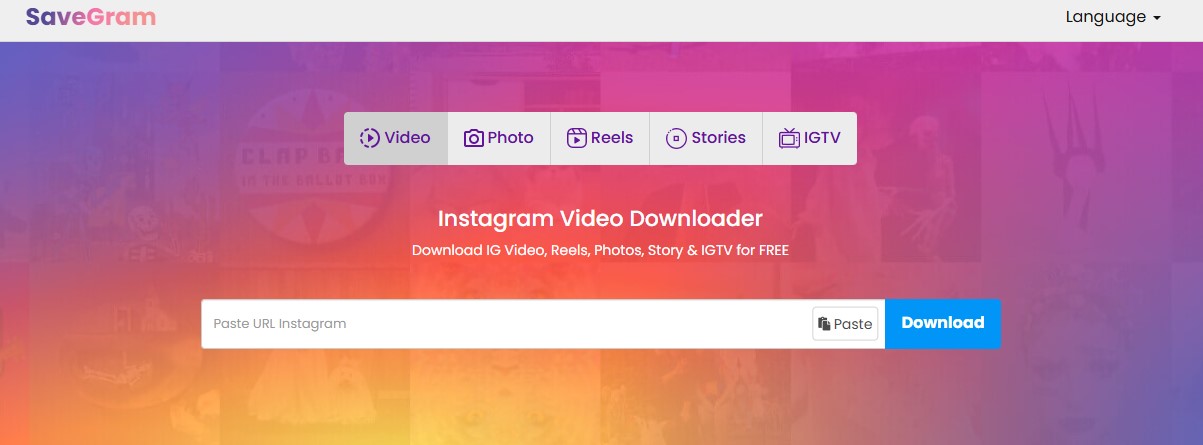
Because Instagram Stories are just live for a day, if you want to download your content or save someone else’s before it disappears, head to Savegram.info. Just paste the profile link, and download Instagram Stories in high quality. This tool is perfect for archiving, re-sharing, or grabbing inspo from creators you love.
Creative ideas for unique Instagram Stories
Once you’ve nailed the how-to, it’s time to level up your game with Stories that actually get views, replies, and those heart-eye reactions.
Behind-the-scenes peeks
Take your audience into your process, whether it’s making a product, setting up a shoot, or just your everyday work vibes.
Polls, quizzes, and Q&As
Use Instagram’s interactive stickers to start conversations. You can try “This or That?” polls, “Do you think I should cut my hair?” or a quick quiz about your niche and daily life.
Product teasers or launches
Show just enough to pique curiosity. Use countdown stickers to build hype. You should tease it over a few days to keep people coming back for more.
Tips, facts, or hacks
Drop bite-sized value bombs. Make them save-worthy. Some cool examples: “3 ways to boost engagement in 30 seconds” or “Skincare myths busted.”
Day-in-the-life vlogs
Mini-vlogs showing snippets of your day. Use timestamps or lo-fi music for chill vibes. Mini-vlogs are trending right now, and they help build stronger parasocial connections with your audience.
Celebrate wins
Hit a milestone? Launch something new? Got a shoutout? Share it. People love rooting for your growth, so let them in on the journey.
Pro tips when creating an Instagram story to boost engagement
Just posting isn’t enough anymore; if you want people to actually watch (and not tap away in 0.5 seconds), you’ve gotta finesse your Story game.
Stay on-brand with colors & fonts
Use consistent colors, filters, and font combos that match your aesthetic. Recognition builds trust. Plus, it just looks chef’s kiss.
You can use Instagram’s brand kit tools or third-party apps to save presets. Don’t forget to use the color dropper to match tones from your logo or feed.
Hook ’em in the first 2 seconds
The attention span? Tiny. Your first frame should instantly make someone pause. Try these hooks:
- A bold question: “Wait… did you know this?”
- A dramatic freeze-frame or zoom-in
- Large emoji or animated text to grab the eye
Use stickers like a pro
Polls, quizzes, sliders, countdowns, mentions – don’t sleep on these!
Stickers = interaction = algorithm boost.
More replies and taps = more people see your next Story.
Try this combo:
- 1st slide: Ask a question
- 2nd slide: Use quiz sticker
- 3rd slide: Reveal the answer.
Track what works (and what flops)
Use the Insights feature (available for Creator and Business accounts) to see:
- How many people tap through vs exit
- Who’s replying, sharing, saving
- What time is your audience most active
Repost your evergreen content
Stories disappear after 24 hours, but what if they didn’t?
Savegram lets you save your best-performing or favorite Stories in high quality, without needing to log in or install anything.
With Savegram, you can repost evergreen content later, use these Instagram stories in highlight reels or TikTok mashups, keep collab mentions from other accounts, and archive your BTS for future campaigns.
Savegram.info also works with Reels and posts if you wanna save it all.
Learn how to download Instagram videos to repurpose.
Make it a series
Instead of one-off posts, create themed series like: Monday Motivation, Tips Tuesday, Throwback Thursday, or “One thing I learned this week…”. People love consistency. They’ll start checking in to see what’s next.
FAQs on Instagram Stories you may not know
How long does an Instagram Story last?
Each Story lasts for 24 hours by default, unless you add it to your Highlights. After that, it disappears from public view.
Want to keep a copy? Use Savegram.info to download any Instagram stories you like before they expire
Can I see who viewed my Instagram Story?
Yes.
Tap on your Story, then swipe up to see a list of viewers (only visible for 24 hours). After that, you’ll only see the view count, not who viewed it.
What’s the ideal length for a Story video?
Instagram allows up to 15 seconds per video Story. Longer videos will be split into consecutive 15-second segments. Keep each segment punchy. Hook viewers early to reduce drop-offs.
How do I add music to my Story?
When creating a Story, tap the music sticker, search for a song, and choose the exact clip you want to feature. You can also display lyrics or album art.
Can I upload a Story from my camera roll?
Absolutely. Just swipe up on the Story creation screen to access your gallery. Select photos or videos from the past 24 hours, or scroll back further if needed.
What’s the best time to post Stories?
It depends on your audience. Check Instagram Insights to find out when your followers are most active. Generally, early mornings, lunch breaks, and evenings work well.
Can I create Instagram Stories on desktop?
You can view Stories on desktop, but to create and post them, you’ll need to use the Instagram mobile app.
Remember, Stories may disappear in 24 hours, but your creativity doesn’t have to. If you want to save your best moments, repost them later, or get inspired by others, tools like Savegram.info make it effortless. Just paste the Story link, hit download, and boom, content saved, stress-free, and no log-in needed.